
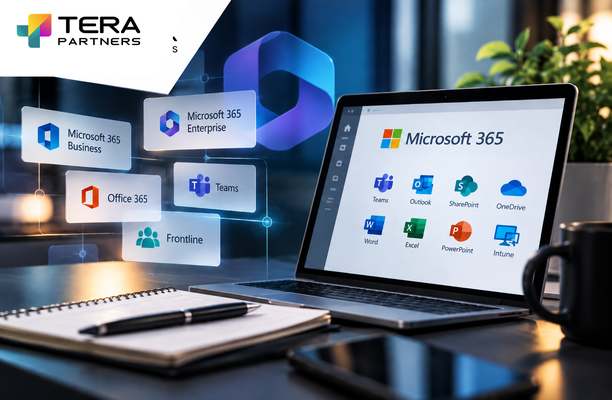
Microsoft 365 licensing often becomes more complicated than businesses expect because the decision starts in the wrong place.
Organizations begin by comparing plan names, feature matrices, and pricing tiers:
- Business Premium or Enterprise?
- E3 or E5?
- Do we need a security or compliance add-on?
- Can that add-on attach to the license we already have?
- Are we already paying for the same capability somewhere else?
Those are legitimate questions, but they come after a more important one:
What does the business actually need the technology to do?
That requirement should come first.
Once it is clearly defined, the licensing decision becomes much easier to structure: understand what the organization already owns, determine whether those capabilities are actually available and configured, identify the real gap, and then decide whether closing it requires a plan change, a targeted add-on, or simply better use of licensing already in place.
That is a very different process from choosing a Microsoft plan by name.
Microsoft 365 Plans Are Not the Starting Point
Microsoft offers a wide range of business, enterprise, frontline, security, compliance, voice, AI, and standalone licensing options. The Microsoft 365 plans are extensively documented, but they are not necessarily self-explanatory in the context of a particular organization.
A feature comparison can tell leadership that one plan includes stronger identity capabilities, another provides additional security or compliance functionality, and a higher tier includes still more services. What that comparison cannot determine is whether those capabilities matter to the organization’s users, applications, data, regulatory responsibilities, or operating model.
One company may need stronger identity controls without needing to upgrade every employee. Another may already own the device-management capabilities it is considering purchasing elsewhere. A third may assume its Microsoft subscription satisfies a particular information-protection requirement when the relevant capability depends on another license or configuration.
The issue is not lack of documentation.
The difficulty is translating Microsoft’s licensing structure into the organization’s actual operational requirements.
Is the Current Plan Already Enough?
Before changing Microsoft 365 plans, businesses should first establish what their existing licensing actually provides.
That sounds obvious, but it is frequently overlooked.
Many organizations know the Microsoft product name that appears on an invoice but cannot easily explain the meaningful capabilities contained inside it. Depending on the plan, Microsoft 365 may provide far more than familiar applications such as Outlook, Word, Excel, Teams, and SharePoint. Identity, endpoint management, security, information protection, compliance, and other capabilities may already be part of the licensing stack.
That creates two very different problems.
Underuse: The organization already owns a useful capability but has never properly implemented or operationalized it.
Misunderstanding: Leadership assumes a capability is included, or already active, when the actual requirement depends on a different license, an add-on, or additional configuration.
These situations should not lead to the same recommendation.
If the organization already owns what it needs, the issue may be configuration and adoption.
If the capability is genuinely absent, then licensing needs to change.
The distinction matters because purchasing more technology should not be the default response to a problem that may actually be caused by incomplete understanding or use of what is already available.
Licensing Creates Entitlement. Configuration Creates Operational Value.
One of the most important distinctions in Microsoft 365 is the difference between purchasing a capability and benefiting from it.
An organization may own advanced identity, endpoint-management, information-protection, or compliance capabilities and still realize only part of their value if those features have never been appropriately configured, monitored, or incorporated into operating processes.
That is why a licensing review should not stop at the subscription list.
It should also ask whether the meaningful capabilities behind those subscriptions are actually being used.
If a business needs stronger security, the answer may be additional licensing.
But it may also be proper implementation of an existing entitlement.
Those are different problems, and an experienced assessment should determine which one exists before additional products are purchased.
Understanding what the organization already owns and how effectively those capabilities are being used makes the next question much clearer: what, if anything, is actually missing?
Start With the Requirement, Then Map the Licensing
A stronger licensing process begins by describing the need in operational terms.
For example:
- The business needs centralized management of company devices.
- Security needs stronger identity controls.
- A department handles information that requires additional protection.
- Certain employees need integrated calling through Teams.
- Leadership wants to introduce Copilot to selected roles.
- A new client or regulatory requirement changes how information must be governed.
Once the requirement is clear, the licensing discussion becomes much more focused:
- What capability addresses the requirement?
- Does the organization already own that capability?
- If it does, is the capability actually configured and supported?
- If it is missing, what is the cleanest licensing path to obtain it?
- Does that option require another base license or prerequisite?
- Which users genuinely need the additional capability?
- Will the change overlap with another Microsoft or third-party product already in use?
This sequence prevents the organization from buying a broad suite simply because one feature inside it appears to solve a narrow problem.
It also prevents the opposite mistake: purchasing another standalone product when the Microsoft environment may already contain a suitable capability.
Once the requirement is defined this way, individual Microsoft plans and add-ons can be evaluated as possible solutions rather than treated as the starting point of the decision.
Microsoft 365 E3 Shows Why Context Matters
Microsoft 365 E3 illustrates why licensing should be evaluated against requirements rather than viewed as a complete answer by itself.
E3 can provide a strong enterprise foundation across productivity, identity, device management, Windows, and other Microsoft services. For many organizations, that baseline may cover a substantial portion of what the business needs.
But a baseline does not automatically satisfy every requirement.
As the business changes, it may need more advanced identity protection, stronger compliance capabilities, Teams Phone, Copilot, additional data protection, or other specialized services.
At that point, several paths may be reasonable:
- move selected users to a higher-tier suite
- retain E3 and add a targeted capability
- license an advanced feature only for users who actually need it
- configure functionality that is already included but has never been fully deployed
Those are very different decisions, and each one depends on understanding what the organization already has, what the new requirement actually calls for, and how Microsoft licenses the additional capability.
The E3 example reinforces the broader point: the correct licensing path depends on the requirement, the existing environment, and the users who need the capability. And when the answer involves extending the base plan rather than replacing it, the next question becomes whether an add-on can close the gap appropriately.
Microsoft 365 Add-Ons Solve Gaps, but They Also Create Dependencies
Microsoft 365 add-ons are valuable because they allow organizations to extend an existing licensing model without automatically upgrading every user’s base plan.
They also introduce another layer of complexity.
An add-on may require a qualifying base license. A capability included in one enterprise suite may be sold separately in another licensing scenario. Some products require additional services or configuration beyond the entitlement itself.
Teams Phone illustrates this well. Licensing the phone-system capability is only part of the design; the organization must also determine how users will connect to the public telephone network and which licensing combination fits the existing environment.
Copilot creates similar questions. The business has to consider the qualifying subscription, which users actually need the additional capability, how the environment will be governed, and whether the organization is ready to support the deployment.
The point is not that these products are unusually difficult to use. The point is that the licensing decision cannot be made accurately by looking at the add-on alone.
The right choice depends on the underlying license, the users who need the capability, the implementation model, and ultimately the business requirement it is meant to satisfy.
Microsoft 365 License Management Should Balance Consistency and Fit
Effective Microsoft 365 license management is not simply about assigning the least expensive license to every user.
There are legitimate advantages to standardization. Fewer licensing variations can simplify onboarding, administration, support, security policy, and budgeting.
But standardization should be intentional.
Not every role necessarily has the same technology requirements. An executive or legal professional handling highly sensitive information may require capabilities that an administrative user does not. A limited group may need advanced compliance functionality, Teams Phone, or Copilot while there is no business case for deploying those capabilities across the organization.
The objective is therefore not maximum variation or maximum standardization.
It is an appropriate balance between operational simplicity and functional fit.
Sometimes one higher-tier standard license is the right answer.
Sometimes a common baseline with targeted additions is better.
What matters is that the organization understands why the licensing model was designed that way.
Licensing Decisions Should Consider the Whole Technology Stack
Microsoft licensing should also be evaluated against the rest of the organization’s technology environment.
Businesses often accumulate specialized products over time: endpoint tools, email-security platforms, identity products, document-protection systems, voice services, backup tools, analytics platforms, and other subscriptions.
Some of those products may serve important needs that Microsoft does not replace appropriately.
Others may overlap with capabilities the organization already licenses through Microsoft 365.
The point is not to consolidate everything into Microsoft automatically.
It is to understand the overlap.
A licensing decision should consider whether adding or properly configuring a Microsoft capability could simplify the environment, whether the existing third-party product remains the better choice, and whether the organization is paying for duplicate functionality without realizing it.
That is technology architecture, not merely license purchasing.
Where an Experienced MSP Adds Value
This is where an experienced MSP can add value that a licensing comparison table cannot.
The MSP can evaluate Microsoft licensing in the context of the actual environment: how employees work, how identity is managed, which devices are used, what security controls already exist, which business applications depend on Microsoft services, what information needs stronger protection, and what technology initiatives are planned.
That context changes the question from:
“Which Microsoft plan has the features we want?”
to:
“What capability do we need, what do we already have, and what is the cleanest way to close the gap?”
An experienced MSP can help determine whether the current plan is already sufficient, whether an entitlement is simply underused, whether a targeted add-on makes sense, whether a higher-tier suite would simplify the environment, or whether an existing third-party solution should remain in place.
That involvement can be particularly valuable before Microsoft renewals, security initiatives, compliance changes, Teams Phone projects, major migrations, or AI deployments.
The objective is not to sell another license.
It is to make the licensing model understandable and aligned with the business.
What Leadership Should Be Able to Explain
A useful licensing review should leave leadership with clear answers to a small number of questions:
- What Microsoft subscriptions do we currently own?
- What important capabilities do those subscriptions provide?
- Which capabilities are actually configured and being used?
- What business, security, compliance, or operational requirements remain unmet?
- Can the current licensing address those gaps?
- If not, what plan change or add-on is appropriate?
- What prerequisites apply?
- Which users actually need the additional capability?
- Are we paying elsewhere for functionality we already own?
- Will the proposed licensing change make the environment simpler or more complex?
- Will the change require user training, administrator training, or changes to existing workflows?
The outcome should be clarity, not another spreadsheet full of product names.
A good licensing model should be explainable in business terms.
Microsoft 365 Licensing Should Follow the Requirement
Microsoft 365 is powerful partly because so many business capabilities can be assembled within one technology ecosystem.
That flexibility is also what makes the licensing difficult to interpret.
Businesses should not need to become Microsoft licensing specialists simply to determine whether their technology requirements are properly covered. They do need a clear understanding of what they are trying to accomplish, what they already own, and where genuine gaps remain.
That is why the sequence matters:
Define the requirement first. Understand the existing entitlement second. Add or change licensing only where a real gap remains.
When licensing follows the requirement instead of driving it, Microsoft 365 becomes easier to explain, easier to govern, and much more likely to support what the business actually needs.